Everyday routines
become Quests.
For families who need a clearer next step. Pixel Pearls turns a routine into clear, small Steps your child can see and start — and AI can draft the Quests and Rewards for you.


Caregiver-guided · One Step at a time · Built for Families
The Next Small Thing, Made Clear
Pixel Pearls is a family Quest and Rewards game that makes everyday routines easier to start, follow, and celebrate. A Caregiver turns an expectation into a Quest with small Steps — or lets AI draft the Quest and its Rewards — and a child sees the next Step on their own paired device, marks progress, earns Pearls, and works toward Rewards the Family chooses.
Features

AI-generated Quests
Describe the routine and AI drafts a Quest with Steps ready to review and adjust.

AI-generated Rewards
Get Reward ideas with suggested Pearl costs, then keep the ones that fit your Family.

Quests & Steps
Break a routine into small, child-owned Steps that are easy to start.

Earn Pearls
Pearls are awarded on approval, giving timely feedback that recognizes effort.

Family Rewards
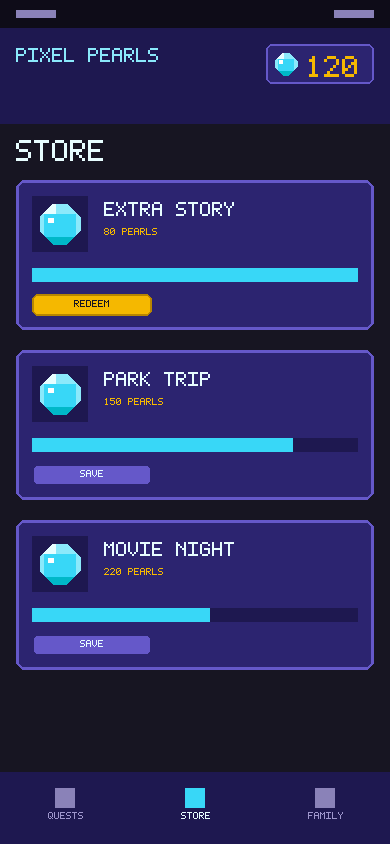
Pick Rewards together and see progress toward them.

Caregiver control
Approve manually or automatically, set values, and confirm Reward hand-off.

Less Prompting, More Independence
When a routine depends on repeated reminders, the Caregiver carries the mental load. Pixel Pearls puts the next action in front of the child on their own device, so progress does not need a prompt every time. A calm Caregiver view keeps approvals, Pearl values, and Reward hand-off in one place.
Built for the Whole Family
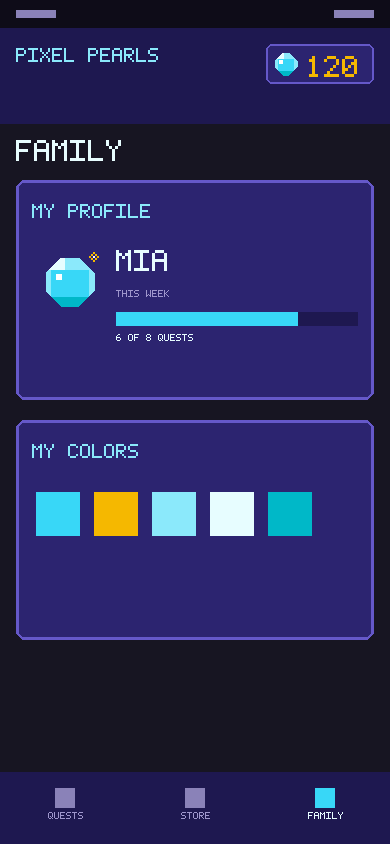
One Family account covers Caregivers and children. Each child has their own paired device, their own progress, and their own Pearl wallet. Caregivers choose the Quests, set the values, and curate the Rewards, while children keep a real say in which Quest to work on next and can skip a Step without turning the day into a failure.
Questions from Caregivers
Which devices do children use?
Each child has their own paired device. Setup pairs the child's device by scanning a QR code with the camera, with a PIN fallback.
How does the Family subscription work?
One Family subscription covers Caregivers and children on one account. The App Store or Google Play shows the current price, any trial, and renewal terms before you subscribe.
How does approval work?
You can approve a child's progress manually or set the app to approve automatically. Pearls are awarded on approval, and you confirm when a Reward is handed off.
Does AI write the Quests and Rewards for me?
AI can draft a Quest with its Steps, and suggest Rewards with Pearl costs. You review and edit everything before it reaches your child, and you can always write Quests and Rewards yourself.
Which ages is Pixel Pearls for?
Designed first for ages 7–9, with support for ages 10–12 and teens aged 13+. Routines are guided by a Caregiver.
Why Pixel Pearls?
Know What To Do Now
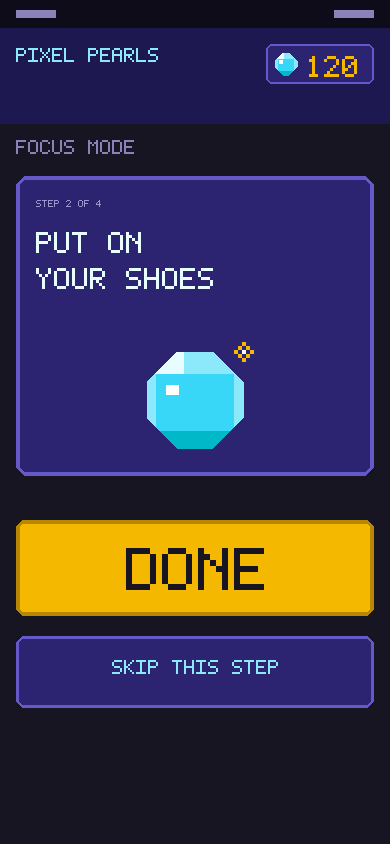
A dense checklist asks a child to work out what comes next. Pixel Pearls shows one Step at a time, so the next action is always obvious and small enough to start.
Progress You Can See
Pearls, visible Reward progress, and timely feedback make effort easier to recognize. Children see how far they have come without calculating what a Reward costs.
Less Setup, More Follow-Through
Writing a good Quest takes thought. AI drafts the Quest, its Steps, and Reward ideas in seconds, so a Caregiver can start from a suggestion and adjust it instead of building everything from scratch.
Designed to Stay Useful
The game loop supports competence, choice, and Family connection. There are no punishing streaks, no penalties for an interrupted routine, and no shame for a skipped Step.
How it Works
You create a Quest
Turn an expectation into a Quest with small, child-owned Steps — or let AI draft the Quest and its Rewards for you to review.
Pair your child's device
Scan a QR code with the device camera, or use the PIN fallback. Each child has their own paired device.
The child sees the next Step
Your child marks progress, earns Pearls, and works toward Rewards the Family chooses.
You approve and celebrate
Approve manually or allow auto-approval. Pearls are awarded on approval, and you confirm Reward hand-off.
A look at the app
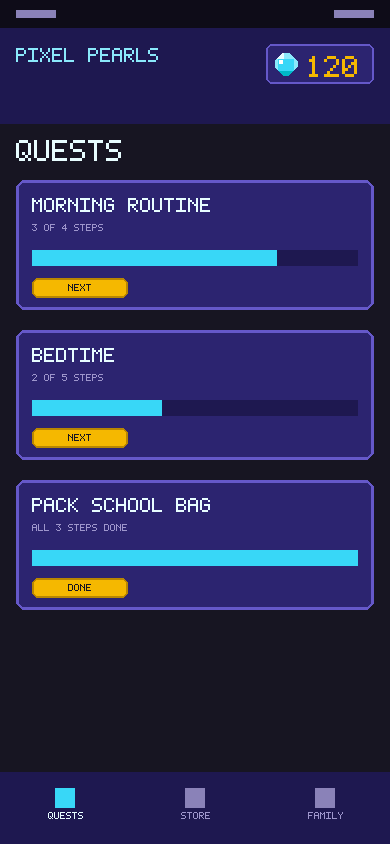
A Caregiver writes a Quest and its Steps — or asks AI to draft them — then pairs the child's device. The child opens the app and the next Step is already waiting. They mark it Done, or skip it and move on. Pearls arrive after approval or automatically, and Rewards fill up as they go.
That is the whole loop: a clear next action, timely recognition, and something to work toward together.
One Family account
One Family subscription covers Caregivers and children, each with their own device and progress. Prices, trials, and renewal terms are shown by the App Store or Google Play before you subscribe.